Types of Campaigns in Proof Blazer
In this article, you will learn about the different types of campaigns available in Proof Blazer and how each one helps your business build trust and increase customer actions.
Proof Blazer offers 5 types of campaigns:
1. Stream
2. Counter
3. Combo
4. Information
5. Reviews
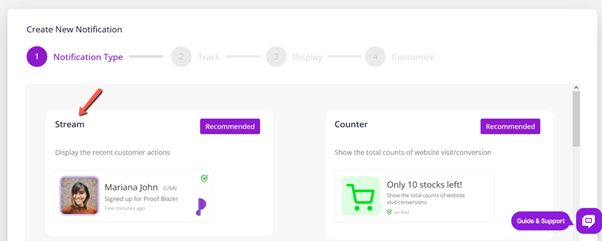
1. Stream Campaign
A Stream Campaign shows live activity from your website, such as new sign-ups, purchases, or downloads. These appear as small pop-up messages to visitors.
Example:
“John from New York just signed up”
Why it’s useful:
- Shows real people using your website
- Builds trust instantly
- Encourages new visitors to take action
Best for:
- Online stores (showing recent purchases)
- Service websites (showing sign-ups)
- Landing pages to increase leads
2. Counter Campaign
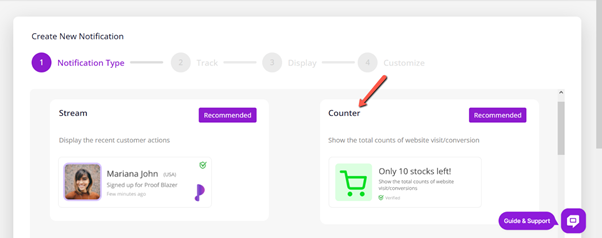
A Counter Campaign shows the total number of people who have taken an action on your website.
Example:
“245 people signed up in the last 24 hours.”
Why it’s useful:
- Shows popularity using numbers
- Builds confidence in new visitors
- Creates urgency (people don’t want to miss out)
Best for:
- Showing how popular your service is
- Highlighting growing customers or downloads
- Encouraging quick decisions
3. Combo Campaign
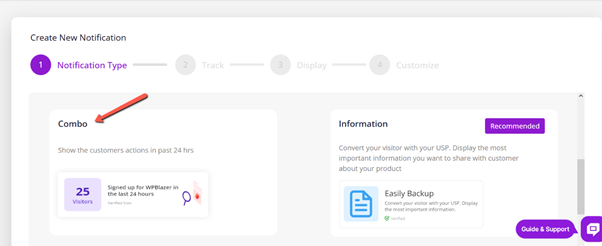
A Combo Campaign combines both Stream and Counter campaigns.
It shows:
- Live activity (recent users)
- Total activity (overall numbers)
Why it’s useful:
- Gives maximum trust and credibility
- Keeps visitors engaged with changing messages
Best for:
- High-traffic websites
- Product pages
- Lead generation pages
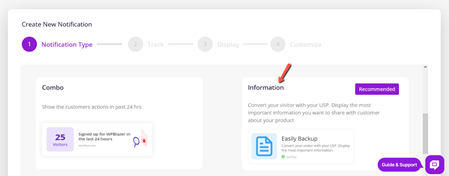
4. Information Campaign
An Information Campaign is used to show custom messages. These messages are not based on user actions.
Example:
- “Limited-time 30% discount”
- “New product launched”
- “Free shipping today”
Why it’s useful:
- Share announcements or offers
- Promote sales or updates
- Guide visitors with clear messages
Best for:
- Sales promotions
- Important updates
- Special offers or announcements
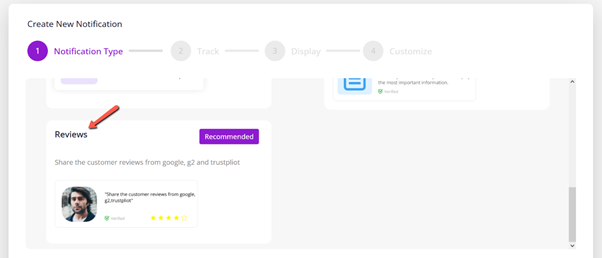
5. Review Campaign
A Review Campaign displays real customer reviews or ratings on your website.
Reviews can come from:
- Manual entries
Why it’s useful:
- Builds strong trust
- Shows real customer experiences
- Helps visitors feel confident before buying
Best for:
- Product pages
- Checkout pages
- Service websites